
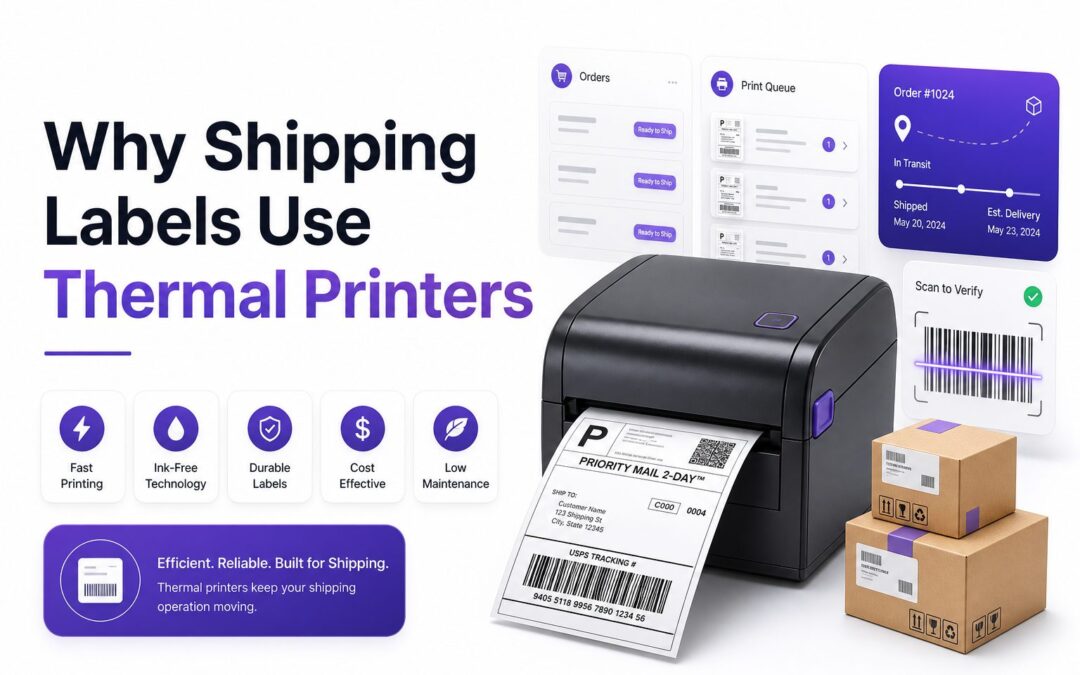
Shipping looks simple from the outside: print a label, stick it on a box, and send it out. Behind that small label, though, is a system built around speed, accuracy, and traceability. One smudged barcode can delay a delivery, trigger a return, or create a support problem for both the seller and the carrier. That is why shipping labels use thermal printers in warehouses, retail backrooms, fulfillment centers, and even home-based ecommerce businesses.
Thermal printing is not just a habit carried over from large logistics companies. It solves real problems that ordinary inkjet and laser printers often create. Labels need to print quickly, scan cleanly, stay readable during handling, and work with carrier systems. For businesses shipping daily, thermal printers reduce waste, simplify workflows, and make label printing more reliable from the first package to the last.
Thermal Printing Fits the Demands of Shipping
Shipping labels have to survive more than a short trip across a desk. They may pass through conveyor belts, sorting machines, delivery vans, cold storage areas, and wet loading docks. A label that fades, smears, or curls can interrupt the entire delivery process.
Thermal printers are built for this environment. They create sharp barcodes and text without wet ink, toner, or long drying times. That makes them especially useful when labels must be printed in batches, applied quickly, and scanned repeatedly by carriers throughout the delivery route.
Barcodes Need Sharp, Reliable Printing
A shipping label is only useful if the barcode scans correctly. Carriers rely on barcodes to sort parcels, update tracking, calculate routing, and confirm delivery. Poor print quality can force manual entry, slow down processing, or send a package to the wrong location.
Thermal printers produce crisp lines with strong contrast, which is exactly what barcode scanners need. Inkjet printers can bleed slightly on label stock, while low-quality laser prints may flake or fade on certain adhesives. Thermal output is more consistent for repeated barcode printing.
Key Benefits of Thermal Shipping Labels
- Clear barcode scanning across carrier systems
- Faster label printing for daily order fulfillment
- No ink cartridges or toner replacements
- Lower long-term printing costs for frequent shippers
- Compact printer setup for desks, packing stations, and warehouses
- Better compatibility with common 4 x 6 shipping labels
- Less waiting time between printing and applying labels
Direct Thermal Printing Saves Time
Most shipping labels use direct thermal printing. This method applies heat directly to special label paper, causing the surface to darken where text and barcodes are needed. Since there is no ink ribbon, cartridge, or toner drum, the printing process is simple and fast.
That simplicity matters during busy shipping periods. A small ecommerce business may print dozens of labels after a weekend sale, while a warehouse may print thousands per shift. Direct thermal printers help teams keep orders moving without stopping for consumables or print cleanup.
Thermal Transfer Printing Handles Tougher Conditions
Thermal transfer printing uses heat to transfer ink from a ribbon onto the label surface. While direct thermal is common for short-term shipping labels, thermal transfer is better for labels that must last longer or face harsher conditions.
This method is often used for inventory labels, pallet labels, outdoor tags, and compliance labeling. For standard parcel shipping, direct thermal usually does the job well. For storage, manufacturing, or international freight, thermal transfer may offer extra durability.
Direct Thermal vs Thermal Transfer Labels
Printing Method | Best Use | Main Advantage | Main Limitation
Direct Thermal | Parcel shipping and short-term labels | No ribbon or ink needed | Can darken with heat or long sun exposure
Thermal Transfer | Long-term labels and harsh environments | More durable print | Requires ribbons
Inkjet Printing | Occasional office printing | Common household equipment | Smudging and slower output
Laser Printing | Documents and mixed office use | Sharp paper documents | Label sheet waste and heat issues
Thermal Printers Reduce Ongoing Supply Costs
Ink and toner can become expensive for businesses that print labels every day. Cartridges run out, toner drums need replacement, and mismatched label sheets can create waste. Those costs are easy to overlook until shipping volume increases.
Thermal printers remove many of those recurring expenses. Direct thermal labels are the main consumable, and there are no ink cartridges to replace. Over time, this can make a meaningful difference for sellers printing labels through platforms like Shopify, Amazon, Etsy, eBay, and carrier portals.
They Support Faster Fulfillment Workflows
A good packing workflow depends on removing small delays. When a label prints instantly at the packing station, staff can apply it, scan it, and move the package forward. Waiting for a sheet printer slows that rhythm.
Thermal printers also reduce the need for trimming, taping, or peeling labels from full-page sheets. Standard roll labels are ready to apply immediately. For busy sellers, this makes each order faster to process and lowers the chance of mixing up labels between packages.
Packing Station Checklist
- Use 4 x 6 labels supported by your carrier or shipping software
- Keep label rolls near the printer to avoid workflow delays
- Clean the printhead regularly to prevent faint barcode lines
- Test barcode scans after changing label brands
- Match printer settings to the correct label size
- Place the label flat on the package without covering seams or corners
Thermal Labels Work Well With Carrier Systems
Major shipping carriers design their systems around machine-readable labels. USPS, UPS, FedEx, DHL, and regional carriers all depend on readable barcodes and structured label formats. Thermal printers are widely used because they match this operational standard.
Most shipping software platforms also support thermal label formats by default. A seller can print 4 x 6 labels directly from order management tools, marketplaces, or carrier accounts. This reduces formatting problems and keeps label output consistent across different shipping channels.
The 4 x 6 Label Size Became the Standard
The 4 x 6 shipping label is popular because it provides enough space for addresses, barcodes, service levels, routing codes, and tracking numbers. It also fits most parcel sizes without taking up too much packaging space.
Thermal printers are often designed specifically around this format. Unlike full-page printers that may waste unused label space, thermal printers produce one label at a time. This makes them practical for businesses shipping one order or hundreds of orders in a single session.
Common Label Printing Mistakes to Avoid
- Printing labels too small, which makes barcodes hard to scan
- Using glossy or incompatible labels with the wrong printer type
- Placing labels over box edges, tape ridges, or curved surfaces
- Ignoring faded print caused by a dirty printhead
- Reusing old boxes without covering previous barcodes
- Choosing paper size settings that crop carrier information
Thermal Printing Helps Prevent Smudging
Ink smudges are a serious problem for shipping labels. A label may look fine when it leaves the printer, then smear when handled, rubbed, or exposed to moisture. If the barcode or address becomes unreadable, delivery becomes harder.
Thermal printing avoids wet ink entirely. The image is created through heat, so there is no drying period. This makes thermal labels more dependable at fast-moving packing stations where packages are handled immediately after printing.
Durability Depends on the Label Material
Direct thermal labels are practical for most parcel shipments, but they are not indestructible. Heat, sunlight, oils, and abrasion can affect them over time. For normal delivery windows, that is rarely a problem, but storage conditions still matter.
Businesses shipping frozen goods, chemicals, industrial parts, or long-haul freight may need special label materials. Weather-resistant thermal labels, synthetic labels, or thermal transfer options can help when packages face moisture, temperature swings, or extended handling.
Practical Tips for Better Label Durability
1. Store label rolls away from heat and direct sunlight.
2. Choose labels with strong adhesive for corrugated boxes.
3. Use weather-resistant labels for cold, wet, or outdoor shipments.
4. Avoid touching printed barcode areas with oily hands.
5. Print test labels before switching suppliers.
6. Replace damaged rolls instead of forcing misaligned labels through the printer.
Thermal Printers Are Compact and Reliable
Many businesses start with a standard office printer because it is already available. That can work for occasional shipments, but it becomes awkward as order volume grows. Full-page printers take more space and often require extra steps.
Thermal label printers are compact enough for packing benches, stockrooms, and small offices. They are designed for repetitive label output, not mixed office printing. That focused design makes them reliable tools for shipping departments and growing ecommerce operations.
They Reduce Label Waste
Printing one 4 x 6 label on a full sheet often wastes paper, especially when only one or two labels are needed. Some sellers try to reuse partial sheets, but misalignment and printer jams can quickly become frustrating.
Thermal roll labels solve that problem by printing one label at a time. There is no half-used sheet to store and no need to cut paper down to size. This supports cleaner packing areas and more predictable supply usage.
Best Situations for Thermal Printers
- Ecommerce stores shipping orders every week
- Warehouses printing labels at multiple packing stations
- Retail stores offering ship-from-store services
- Subscription box companies managing batch fulfillment
- Repair centers sending customer equipment back
- Food, healthcare, and manufacturing teams needing tracking labels
- Small businesses wanting cleaner shipping workflows
Thermal Printing Improves Order Accuracy
Shipping mistakes often happen when labels pile up away from the packing process. If labels are printed in bulk on sheets, staff may need to match each label to the correct parcel manually. That creates room for mix-ups.
Thermal printers work well when paired with scan-and-print workflows. A team member can scan an order, print the correct label instantly, and apply it to the package in front of them. This keeps the label tied closely to the order.
Automation Makes Thermal Printers More Valuable
As businesses grow, shipping software becomes more important. Rules can assign carriers, choose services, print packing slips, and generate labels automatically. Thermal printers fit neatly into this setup because they print quickly and consistently.
For example, a store can create a rule that prints USPS labels for lightweight domestic orders and UPS labels for heavier parcels. The thermal printer simply receives the formatted label and outputs it at the packing station. [Internal Link: Ecommerce Shipping Software] can support this workflow.
How Thermal Printers Support Automation
Step | Workflow Action | Thermal Printer Role
1 | Order is paid and ready to ship | Receives label from shipping software
2 | Carrier service is selected | Prints correct carrier format
3 | Staff packs the order | Produces label at the packing station
4 | Barcode is scanned | Confirms tracking and order status
5 | Package leaves facility | Label remains readable during sorting
Thermal Printers Are Easy to Maintain
Compared with inkjet and laser printers, thermal printers have fewer consumables and less routine mess. There are no leaking cartridges, toner dust, or dried ink nozzles. Maintenance usually centers on cleaning the printhead and keeping labels aligned.
That does not mean they can be ignored. Dust, adhesive residue, and low-quality labels can affect print clarity. Regular cleaning helps protect barcode quality and extends printer life, especially in warehouses where printers run for long shifts.
Choosing the Right Thermal Printer Matters
Not every thermal printer is the right fit for every business. A home seller may need a simple desktop model, while a warehouse may need an industrial printer with faster output, network support, and rugged construction.
Important features include print resolution, label width, connectivity, software compatibility, and daily print capacity. A 203 dpi printer works for many shipping labels, while 300 dpi may be better for small text, dense barcodes, or compact product labels. [Internal Link: Shipping Label Printer Buying Guide] can help compare options.
Thermal Printer Buying Factors
- Print volume: Match printer capacity to daily order counts.
- Connectivity: Check USB, Ethernet, Wi-Fi, or Bluetooth needs.
- Resolution: Choose higher dpi for small labels or dense barcodes.
- Software support: Confirm compatibility with carrier and marketplace tools.
- Label type: Decide between direct thermal and thermal transfer.
- Workspace: Pick a desktop or industrial model based on available space.
Thermal Labels Support Better Tracking
Tracking updates depend on accurate scans throughout the delivery process. A package may be scanned at pickup, sorting hubs, transfer points, local depots, and final delivery. Every scan adds visibility for the shipper and recipient.
When labels print clearly, carriers can capture these events with fewer manual corrections. That improves customer service because buyers can see where their package is. It also helps businesses investigate delays, lost parcels, and delivery disputes more efficiently.
They Help Small Businesses Look More Professional
A clean thermal label gives packages a polished, business-ready appearance. The address, barcode, service level, and tracking information are presented neatly, without tape over paper or uneven trimming. That matters when customers receive the package.
Professional labeling also builds internal discipline. When the packing process uses proper labels, scanning, and organized stations, shipping feels less improvised. This is especially useful for small businesses moving from occasional orders to steady daily fulfillment.
Professional Shipping Label Habits
- Print labels at the same station where orders are packed.
- Keep a backup label roll available during busy periods.
- Use branded packing slips separately from carrier labels.
- Check the first label of each batch before printing hundreds.
- Keep printer drivers and shipping software settings current.
- Train staff to flag faint, streaked, or misaligned labels immediately.
Thermal Printing Is Not Perfect for Every Use
Direct thermal labels can fade if exposed to strong heat or sunlight for long periods. They are excellent for standard parcel shipping but less ideal for labels that must remain readable for years. That limitation should guide how businesses use them.
For long-term product identification, asset tracking, or outdoor storage, thermal transfer or another durable label method may be better. The best choice depends on how long the label must last, where it will be stored, and how often it will be handled.
Why Thermal Printing Remains the Shipping Standard
Thermal printing remains common because it solves the practical problems that shipping creates every day. It is fast, affordable, compact, and dependable for barcode-heavy labels. Those advantages line up directly with carrier and warehouse needs.
For businesses, the value is not only in the printer itself. It is in fewer label failures, cleaner workflows, faster packing, and better tracking accuracy. That is why thermal printers have become standard equipment anywhere shipping labels are printed regularly.
Conclusion
Shipping labels may look simple, but they carry the data that keeps parcels moving through modern logistics networks. Clear barcodes, readable addresses, and durable label surfaces all help carriers sort, route, and deliver packages with fewer delays. For businesses, the printing method behind those labels affects speed, cost, accuracy, and customer satisfaction.
Thermal printers meet these needs better than ordinary office printers because they print quickly, avoid ink smudging, reduce supply costs, and work naturally with carrier label formats. From small ecommerce stores to high-volume warehouses, they support the kind of reliable workflow that shipping requires. The main reason why shipping labels use thermal printers is straightforward: they produce dependable labels at the exact pace and quality that parcel delivery demands.
FAQ
Are thermal printers required for shipping labels?
No, thermal printers are not required. You can print shipping labels with inkjet or laser printers. However, thermal printers are usually faster, cleaner, and more cost-effective for businesses that ship often.
Do thermal shipping labels fade over time?
Direct thermal labels can fade when exposed to heat, sunlight, oils, or long storage periods. For normal parcel delivery timelines, they usually stay readable long enough to complete shipping and tracking.
Can any thermal printer print shipping labels?
Not every thermal printer is suitable. The printer must support the correct label size, usually 4 x 6 inches, and work with your shipping software, carrier platform, and operating system.
Are thermal labels waterproof?
Standard thermal labels are not always waterproof. Some resist light moisture, but wet conditions may require weather-resistant labels or synthetic materials. For tough environments, thermal transfer labels often perform better.
Why do ecommerce sellers prefer thermal printers?
Ecommerce sellers prefer thermal printers because they save time, reduce ink and toner costs, print sharp barcodes, and fit neatly into packing workflows. They are especially useful when order volume grows.